
Photo feature
See yourself at any age
Upload a portrait and pick a target age, younger or older. Banana Studio changes hair, skin and features to match that age while keeping the person recognizable, so the result still looks like you.
- 25 credits per use
- One photo in
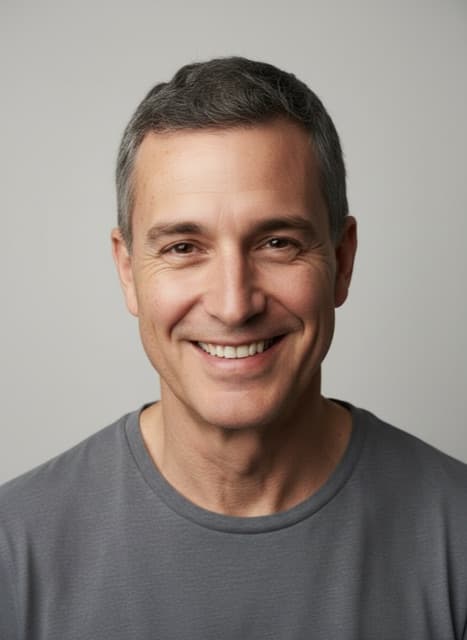
AI age changer: what it does well
A full, visible change
The tool asks for the age to show in hair color and volume, skin, posture and face, so an older target does not come back looking only slightly older.
Still recognizably you
Apart from age, the model is told to keep the same person, the clothing, the pose, the background and the framing.
Younger works too
Ask for a child or a teenager to see a playful younger version of yourself.
AI age changer prices in credits
| Tool | Credits |
|---|---|
| Age Changer | 25 |
- The price is per use.
- The exact price for your settings is shown on the Create button before you start.
- The 7-day introduction ($1.99, 240 credits) covers 9 edits, and the Pro plan's 2,200 monthly credits cover about 88 edits.
Plans: $1.99 for a 7-day introduction with 240 credits, then $29.99 a month for 2,200 credits, or $59.97 every 3 months with 2,200 credits each month. The introduction is a paid period, not a free trial. See plans · How credits work
What you need
- Your photo: a JPG, PNG or WebP file under 4 MB
- Optional: target age
- A Banana Studio account with credits from a plan
AI age changer: how it works
Upload a portrait
A clear, front-facing photo of one person gives the most convincing result.
Set the target age
Type an age, such as around 60 years old, or tap a suggestion like As a teenager.
Compare a few ages
Try several ages on the same photo and compare them in History.
Try one of these
Who it is for
Family fun
Show grandparents what the kids might look like grown up, or the other way round.
Storytellers
Create older and younger versions of a character for a story, a game or a video.
Birthday posts
Make a then-and-now style post for a milestone birthday.
Good to know
- In the Editor it is listed as Age Changer.
- The result is imagined by an AI model, not a scientific prediction of how anyone will age.
- Age only people who agree to it, and never present an aged photo as a real one.
- Page reviewed October 25, 2026.
Questions about AI age changer
How accurate is the AI age changer?
It is a creative preview, not a forecast. The model applies typical signs of age, such as gray hair and softer skin, to your photo; real aging depends on genetics and lifestyle.
How many credits does the AI age changer use?
Each Age Changer edit costs 25 credits. The 7-day introduction ($1.99, 240 credits) covers 9 edits, and the Pro plan's 2,200 monthly credits cover about 88 edits. The exact price for your settings is shown on the Create button before you start.
Can the age changer make me look younger?
Yes. Ask for a specific age, such as 8 years old or a teenager. Younger results smooth the skin and adjust hair and features to match.
Does the age changer keep the background?
Yes. The tool tells the model to change the person's age only and to keep the clothing, pose, background, framing and lighting as they were.
Can I age a photo of someone else?
Only with their permission. Banana Studio's Terms require that you own, or have permission to use, every photo you upload.
What should I type as the target age?
A number works best, such as around 70 years old. Add details like gray hair and reading glasses for a more specific look.