
Photo feature
Try a new hairstyle on your own photo
Upload a portrait, describe the cut or color you are thinking about, and Banana Studio redraws only your hair. It is a quick way to preview a big change, from a pixie cut to platinum blonde, before you sit in the salon chair.
- 25 credits per use
- One photo in
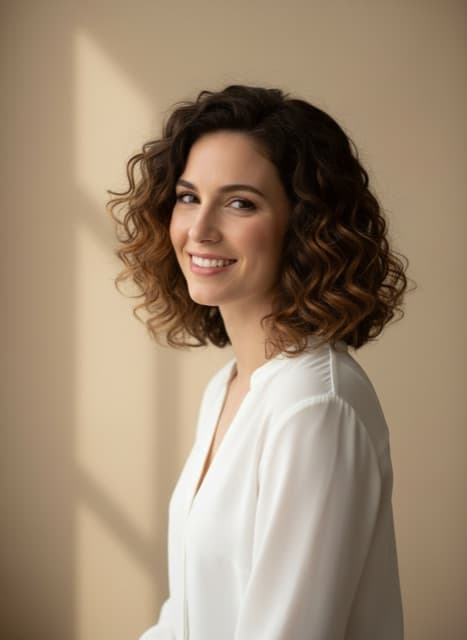
AI hairstyle changer: what it does well
Only the hair changes
The tool tells the model to keep your face shape, eyes, skin texture, glasses, expression, pose, background and lighting, and to change the hair alone.
Any cut, length or color
Describe it in your own words: long beach waves, a curly bob with highlights, a slicked-back fade.
Easy side-by-side comparisons
Run a few styles on the same photo and compare them next to each other in History.
AI hairstyle changer prices in credits
| Tool | Credits |
|---|---|
| Hair Styler | 25 |
- The price is per use.
- The exact price for your settings is shown on the Create button before you start.
- The 7-day introduction ($1.99, 240 credits) covers 9 edits, and the Pro plan's 2,200 monthly credits cover about 88 edits.
Plans: $1.99 for a 7-day introduction with 240 credits, then $29.99 a month for 2,200 credits, or $59.97 every 3 months with 2,200 credits each month. The introduction is a paid period, not a free trial. See plans · How credits work
What you need
- Your photo: a JPG, PNG or WebP file under 4 MB
- Optional: describe the new hairstyle
- A Banana Studio account with credits from a plan
AI hairstyle changer: how it works
Upload a clear portrait
Use a front-facing photo in good light with your hair and face fully visible.
Describe the new hairstyle
Name the cut, the length and the color, or tap one of the suggestions in the tool.
Create and compare
Each version lands in History. Try a few and keep your favorite.
Try one of these
Who it is for
Before a salon visit
Show your stylist the exact look you want, on your own face.
Color experiments
See whether copper, ash blonde or jet black suits your skin tone before you dye.
Creators
Make a fresh profile picture or a playful series of looks for a post.
Good to know
- In the Editor it is listed as Hair Styler.
- Loose, visible hair gives the model the most to work with; hair tied back or under a hat gives it less.
- The preview is an AI image, not a promise of how a real cut will turn out on your hair type.
- Page reviewed October 25, 2026.
Questions about AI hairstyle changer
Will the hairstyle changer change my face?
It is set up not to. Banana Studio instructs the model to keep your face shape, eyes, skin texture, glasses, expression and background, and to change only the hair. Check the result, as with any AI edit.
How many credits does the AI hairstyle changer use?
Each Hair Styler edit costs 25 credits. The 7-day introduction ($1.99, 240 credits) covers 9 edits, and the Pro plan's 2,200 monthly credits cover about 88 edits. The exact price for your settings is shown on the Create button before you start.
Can I try new hair colors too?
Yes. Describe a color on its own, such as warm copper or ash blonde, or combine it with a cut, such as a platinum pixie cut.
What photo works best for trying hairstyles?
A sharp, front-facing portrait in even light, with your hair visible and not tied back or hidden under a hat.
Does it work for men's haircuts and beards?
Yes for haircuts, such as a skin fade or a buzz cut. For facial hair, use the Beard Style tool in the Editor, which is built for beards.
Can I use a photo of a hairstyle as a reference?
Not in this tool. It takes one photo, yours, plus a text description. Describe the reference in words: length, texture, parting and color.