
Photo feature
Try on clothes with two photos
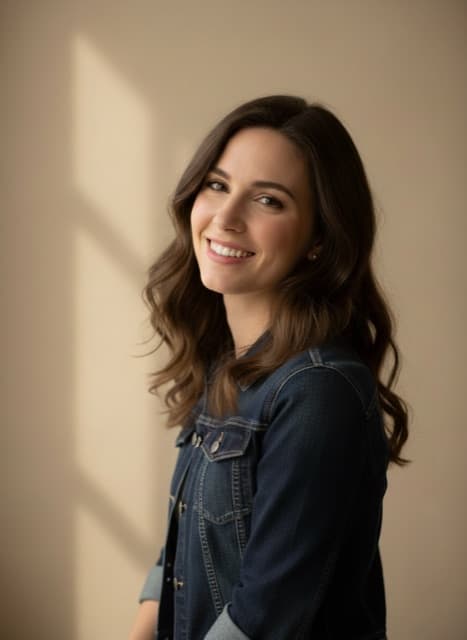
Add a photo of yourself and a photo of a garment or accessory. Banana Studio dresses you in it and keeps your face, body, pose and background, so you can see how it might look before you buy.
- 30 credits per use
- Two photos in, one out
- No prompt needed
Opens Virtual Try-On in Banana Studio. The price shows before you confirm.
Virtual try-on: what it does well
You, not the catalog model
If the clothing photo shows a model wearing the item, the tool is set up to dress you in it rather than swap you for the model.
Keeps your photo
Face, hair, body, pose and background all come from your photo; only the outfit changes, with light and shadows matched to the scene.
Clothes and accessories
Jackets, dresses, shirts, hats, bags and glasses can all be the second photo.
Virtual try-on prices in credits
| Tool | Credits |
|---|---|
| Virtual Try-On | 30 |
- The price is per use.
- The exact price for your settings is shown on the Create button before you start.
- The 7-day introduction ($1.99, 240 credits) covers 8 edits, and the Pro plan's 2,200 monthly credits cover about 73 edits.
Plans: $1.99 for a 7-day introduction with 240 credits, then $29.99 a month for 2,200 credits, or $59.97 every 3 months with 2,200 credits each month. The introduction is a paid period, not a free trial. See plans · How credits work
What you need
- Your photo: a JPG, PNG or WebP file under 4 MB
- Clothing item: a JPG, PNG or WebP file under 4 MB
- A Banana Studio account with credits from a plan
Virtual try-on: how it works
Add your photo
A clear photo of you, ideally full or half body, facing the camera.
Add the clothing photo
A photo of the item laid flat, on a hanger or being worn, with the whole piece visible.
Create and try more
See the result in History, then try other items on the same photo.
Who it is for
Online shoppers
Preview a look before ordering, using a photo of the item you are considering.
Stylists and resellers
Show a client or a buyer how a piece looks on a real person.
Content creators
Make outfit posts and lookbooks without changing clothes for every shot.
Good to know
- In the Editor it is listed as Virtual Try-On.
- The fit is an AI estimate. It does not know your measurements or the garment's real sizing.
- Watermarks or text on the clothing photo are not copied onto the result; the tool is set up to leave them out.
- Page reviewed October 25, 2026.
Questions about Virtual try-on
How does the virtual try-on work?
You upload two photos: one of yourself and one of the item. An image model redraws the outfit on you, keeping your face, body, pose and background, and matching the light and shadows.
How many credits does the virtual try-on use?
Each Virtual Try-On edit costs 30 credits. The 7-day introduction ($1.99, 240 credits) covers 8 edits, and the Pro plan's 2,200 monthly credits cover about 73 edits. The exact price for your settings is shown on the Create button before you start.
What kind of clothing photo works for try-on?
A clear photo of the item, laid flat, on a hanger or worn by someone, with the whole garment in view. Use photos you took or have permission to use.
Will the try-on show how the clothes fit my size?
No. The result shows the look, not the fit. The model does not know your measurements or the garment's sizing, so use it for style decisions.
Does virtual try-on work with accessories?
Yes. Hats, bags, scarves and glasses can be the second photo, as can tops, dresses and jackets.
Why does try-on cost more than other Editor tools?
It combines two photos instead of editing one, which costs more to run. The price is listed on this page.